Editor Layout
PyStudio is organized around one central idea: the canvas stores the graph shape, while the side panels expose the spec and runtime state of the currently selected node.
Main Areas
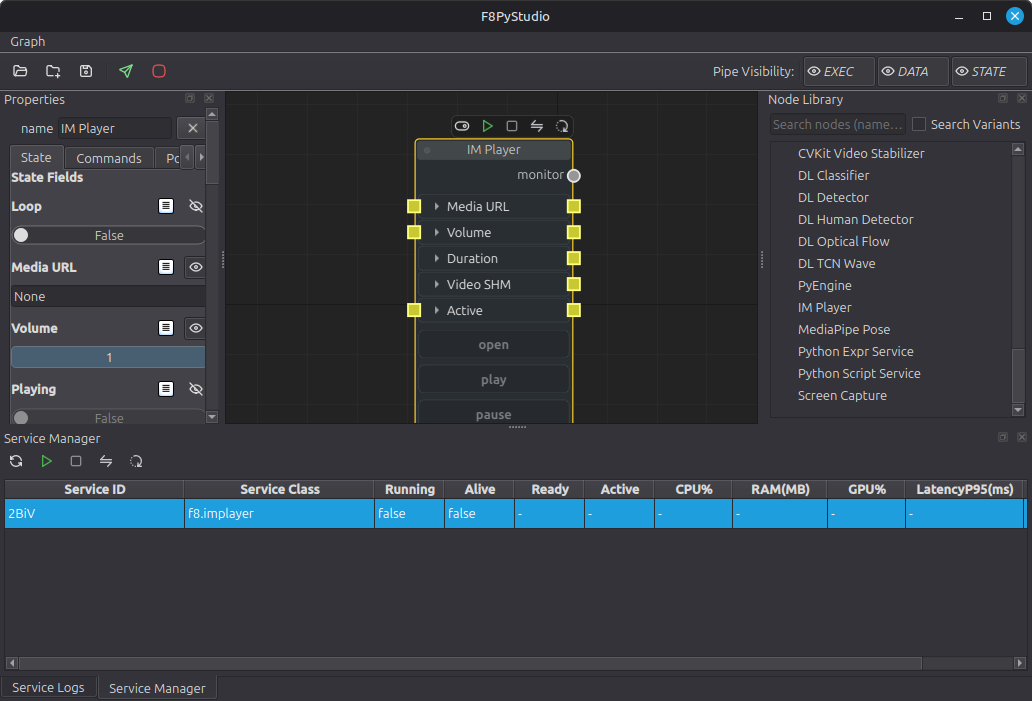
- Top toolbar: session, deploy, and graph-wide actions
- Center canvas: service nodes, operators, UI nodes, notes, and connections
- Left
Propertiespanel: state fields, commands, ports, and node visuals - Right
Node Library: searchable catalog of services, operators, UI nodes, and variants - Bottom/log areas: runtime feedback, service status, and errors
Mental Model
- Service nodes own runtime processes and appear in the compiled rungraph.
- Operator nodes usually run inside a host service such as
f8.pyengine; they need a validService Id. - UI nodes live in local
f8.pystudioand exist to inspect or control graph state while you edit. - The canvas layout is only the editor view; deployment compiles that layout into a runtime graph.